> For the complete documentation index, see [llms.txt](https://docs.ngsurvey.com/llms.txt). Markdown versions of documentation pages are available by appending `.md` to page URLs; this page is available as [Markdown](https://docs.ngsurvey.com/ar/form-management/data-export/pdf-acroforms.md).
# PDF AcroForms
## 📄 **ما هي نماذج PDF AcroForms؟**
نماذج PDF AcroForms هي نماذج مدمجة داخل ملفات PDF تُمكّن المستخدمين من إدخال البيانات مباشرة داخل المستند. يمكن إكمال هذه النماذج دون اتصال بالإنترنت، كما يمكن مشاركتها وتوزيعها بسهولة بين المستجيبين.
تمكّنك ngSurvey من تصدير الاستبيانات والنماذج الحالية إلى PDF AcroForms مع دعم كامل لحسابات الحقول الرقمية والتحققات، [Skip Logic](/ar/form-management/form-designer/questions/question-properties/skip-hide-logic.md) و [branching](/ar/form-management/form-designer/pages/branching.md). بمجرد أن يعبئ مستجيب ملف PDF، يمكنك إعادة استيراد ذلك الـ PDF وسيقوم ngSurvey بحفظه تلقائيًا كمستجيب للاستبيان.
{% hint style="info" %}
إذا كنت لا تريد عرض بعض الأسئلة في تصدير PDF AcroForm يمكنك ضبط [قواعد Skip Logic](/ar/form-management/form-designer/condition-rules/conditions-rules.md) على السؤال مع تعيين نوع الجهاز إلى PDF.
{% endhint %}
## 🔅 خصائص PDF
* **`استخدام تخطيط جدول للأسئلة الجدولية`** يتيح لك اختيار كيفية عرض أسئلة الجدول إما كتخطيط جدول/صف أو كأسئلة فردية لكل صف في الجدول.
* **`تمييز الإجابات المطلوبة`** سيتم تمييز الإجابات المطلوبة عند حدوث خطأ.
* **`استخدام مربعات اختيار للقوائم المنسدلة متعددة الاختيارات`** سيعرض خيارات قائمة المنسدلة كمربعات اختيار.
## 👥 **تصدير مستجيب موجود إلى PDF AcroForms**
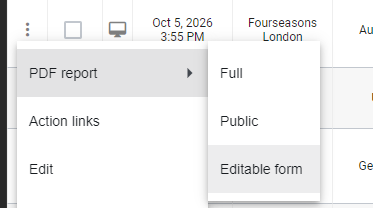
تمكّن ngSurvey أيضًا من إنشاء ملفات PDF قابلة للتحرير استنادًا إلى مستجيبين موجودين تم تخزينهم بالفعل للاستبيان. بهذه الطريقة يمكنك تصدير الإجابات في PDF، السماح للمستجيب بتحريرها باستخدام قارئ PDF الخاص به، ثم إعادة استيرادها لتحديث إجابات ذلك المستجيب السابقة.
{% hint style="info" %}
إذا كنت تستخدم piping من عناصر الأمان فسيظل ngSurvey محتفظًا بها أيضًا في نموذج مستجيب PDF المصدر.
{% endhint %}
---
# Agent Instructions
This documentation is published with GitBook. GitBook is the documentation platform designed so that both humans and AI agents can read, navigate, and reason over technical content effectively. Learn more at gitbook.com.
## Querying This Documentation
If you need additional information that is not directly available in this page, you can query the documentation by asking a question.
Perform an HTTP GET request on the following URL with the `ask` and `goal` query parameters:
```
GET https://docs.ngsurvey.com/ar/form-management/data-export/pdf-acroforms.md?ask=&goal=
```
`ask` is the immediate question: it should be specific, self-contained, and written in natural language.
`goal` is what the user is ultimately trying to achieve, the reason they need the answer. Sharing it helps GitBook give you a better, more relevant answer. A goal is most helpful when it describes the outcome the user wants rather than restating the question. For example, with `ask=how do I create an API token`, a goal like `automate deployments from our CI pipeline` lets GitBook tailor the answer to that use case.
The response will contain a direct answer to the question and relevant excerpts and sources from the documentation.
Use this mechanism when the answer is not explicitly present in the current page, you need clarification or additional context, or you want to retrieve related documentation sections.